Setting up Twixor Account
If you want to join and experience campaigns using Twixor and make use of the rich and instant messaging experience by utilizing Twixor, register with Twixor by following the below steps.
1. Click Sign up option in the Welcome page of Twixor platform.
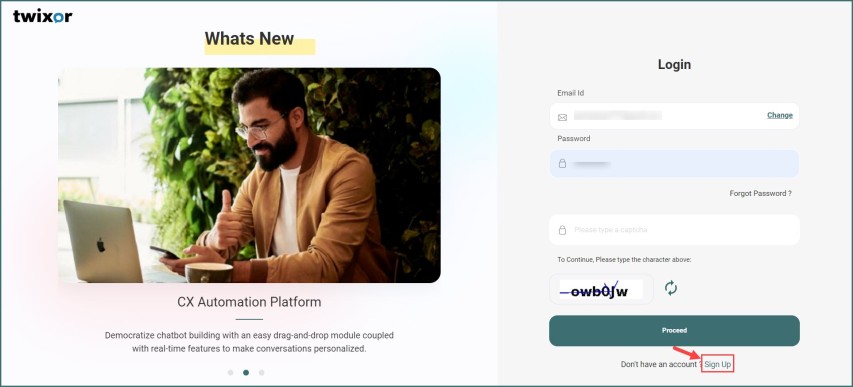
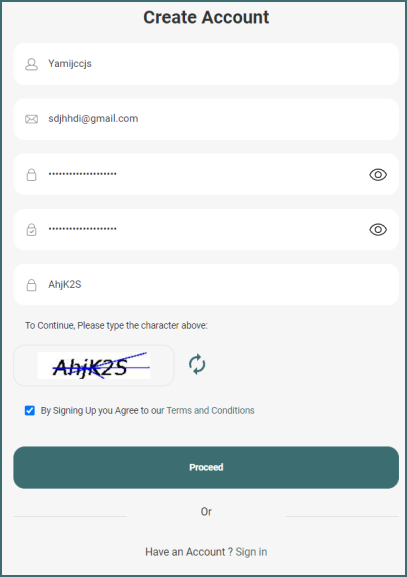
2. This opens the Twixor Create Account page.
3. Enter your name and valid Email Id in Name and Email Id.
Info! The name should contain minimum 5 characters
4. Type your secret keyword in Password and type it again in Confirm Password to confirm it.
5. Type a captcha and after accepting the Terms of Service and Privacy Policy of Twixor, click Proceed to create a new Twixor account.
Info! The details of our Terms of Service and Privacy Policy and be accessed through the link on the bottom of the page.
Info! Once registered you will receive an activation link to your mail id. Click on the link to activate your Twixor account.
Login to Twixor
Sign in to Twixor using the valid credentials. To make use of the campaigning and other benefits of Twixor platform, proceed by keying in your credentials once your account is activated.
Follow these steps:
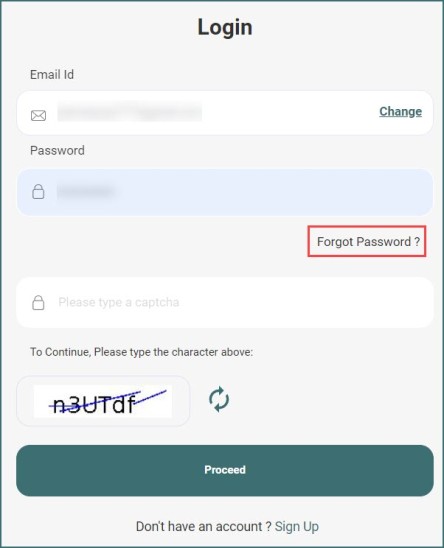
1. Key in the valid Email ID and accurate password.
2. Click Proceed to use your Twixor account.
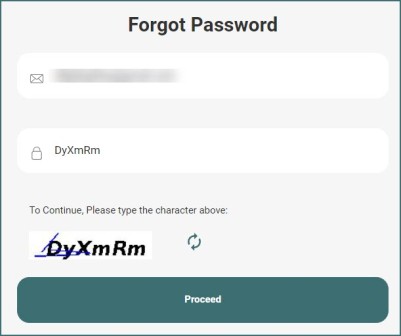
3. Do not worry if you don't remember the password, just click on Forgot Password? option.
4. The succeeding page prompts you to enter your Email Address to which you will receive the link to reset your password and type the captcha to proceed.
5. If you remember your password or have just reset it, provide the password, and enter the captcha for security enhancement and click Proceed